Your AI agents can use Opera Neon free of charge
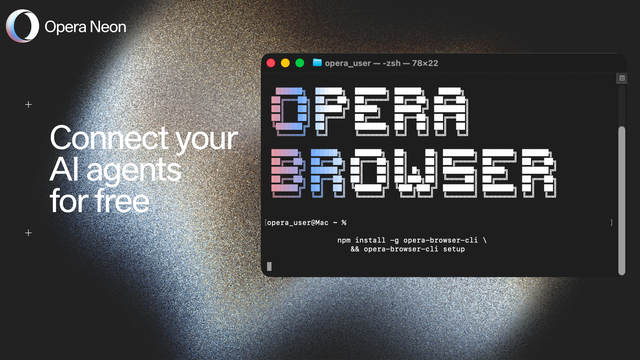
Many of you who automate browser-based workflows have asked us to make it easier to connect your own agents to Opera Neon - without having to pay a subscription to Neon’s own AI capabilities.
That’s now possible.
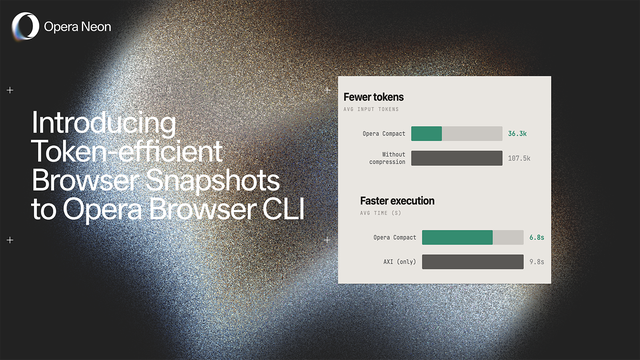
You can download Opera Neon for free (Free plan) and connect it to your existing agentic setup through both MCP (as a server) and locally through Opera Browser CLI – which includes token compression designed to make browser use more efficient for agents.
A Neon subscription (Standard plan) is only needed when you want to unlock Neon’s own AI capabilities, including autonomous browsing, deep research, Skills, automation features, and generative AI agents.
Setting up Opera Neon with your agents
To get your agents started with Opera Neon, you’ll need to connect them over MCP or CLI. Browsing works without an account, but connecting agents needs one, so:
- Download Opera Neon;
- Sign in with an Opera account (only for MCP, not required for CLI);
- Connect it via MCP following the instructions here;
- Or connect it via CLI following the instructions here.
If you want to get ideas and more information about connecting your AI agents to Opera Neon you can check out our Resource Hub.
Availability
Opera Neon is available now for Windows and macOS. Download it at operaneon.com, connect it to your setup, and subscribe when you want the AI Services that come with it.
We want to see what you build with this. Show us in the Neon Discord or on X – we're reading.